Smart doorbells, medical alerts, voice assistants, and medication reminders have quietly grown up. Here is what is actually worth buying in 2026 — chosen for how it feels to live with, not how it looks on a spec sheet.
By Greg Doig · gregdoig.com · Reading time about 18 minutes
Contents
01 Start here: the one thing to get right
02 Medical alert systems
03 Voice assistants that earn their place
04 Doorbells and cameras
05 Medication reminders
06 Watches, phones and tracking
07 Lights, locks, smoke and water
08 Staying connected, staying un-scammed
09 Hearing and seeing better
10 A four-week rollout plan
11 What to skip, and what to watch
12 The before-you-buy checklist
01 — Start here
The one thing to get right before anything else
If you take only one idea away from this guide, make it this: the most valuable piece of technology in a senior’s home is the one that gets help to the door when something goes wrong. Everything else — the doorbell, the lights, the pill dispenser — is comfort and convenience. That first one is insurance.
Falls are the reason. The Centers for Disease Control and Prevention reports that about one in four adults 65 and older falls each year, that falls are the leading cause of injury in that age group, and that more than 38,000 older adults died from falls in a single recent year. Most of those falls happen at home, in a bathroom, a hallway, a bedroom — ordinary places, on an ordinary Tuesday.
The good news is that the response side of that problem is now genuinely solved, and solved cheaply. You do not need to move. You do not need a medical-looking box bolted to the wall. You need one reliable way to call for help that works when you cannot reach a phone, and a second way that works when the first one does not.
The principle for the whole guide
Buy for the worst ten minutes, not the average day. A device that is perfect 99% of the time and useless during a fall is a decoration. Ask of everything you consider: could I use this while lying on the floor? That single question eliminates half the market and clarifies the other half.
Three notes before we shop
Wi-Fi comes first. Almost everything below depends on a decent home network. If the house has dead zones, a mesh system or a Wi-Fi extender is a more important purchase than any gadget in this guide. Test it before you buy: walk the house with a video call running and see where it drops.
Consent is not optional. If you are the adult child reading this, the single biggest predictor of whether this technology gets used is whether the person using it chose it. The experts I read while assembling this guide were unanimous: explain what each device does, where it sits, what it records and who can see it — before it arrives, not after. A camera installed without a conversation is surveillance. The same camera installed with one is peace of mind.
Prices move. Every figure here was checked on 16 November 2026 against the vendor’s own pricing page or the most recent independent testing. The medical-alert and subscription categories re-price constantly — Hero, for one, has gone up since most 2024 and 2025 reviews were written. Treat the numbers as a budget shape, not a quote.
Before you buy anything
Prices and plans in this guide were accurate on the date it was published, but manufacturers change them — sometimes quietly, and often without notice. Always confirm the current price, contract length, equipment fees, and cancellation terms directly with the manufacturer or provider before you sign up, and ask what the price becomes after any introductory period ends. A guide is a starting point; the vendor’s own checkout page is the final word.
02 — Emergency help
Medical alert systems: the four that are worth the subscription
This is the most-reviewed, most-tested category in senior tech, and in 2026 the testing is finally good enough to trust. AARP recruits adults 60 and older to live with each device and report back; the National Council on Aging runs its own lab tests. Their conclusions line up more than they disagree.
Medical Guardian
Best overall
Fast response times, the strongest GPS performance in testing, and a caregiver app that actually tells you something useful. Both AARP and NCOA put it on top. The watch-style wearable is sometimes hard to hear in a noisy room.
Guardian Flex $39.95 · MGHome from $34.95 · fall detection +$10
MobileHelp
Best value
No activation or equipment fees, accurate fall detection, and monitoring-center staff that scored near the top for professionalism. The pendant is on the bulky side.
$24.95 home · $34.95 on-the-go · $44.95 both · fall detection +$10
Bay Alarm Medical
Best support
If you have ever spent forty minutes on hold with a utility company and sworn never again — this is the pick. Highest customer-support scores in AARP’s testing, plus easy setup.
$27.95 landline · $34.95 cellular · $44.95 with fall detection
LifeFone
Best necklace
A comfortable mobile pendant with an 18-day battery, simple setup and courteous operators. Wirecutter also rates its at-home cellular system. Check the clasp — the magnetic one can pop open.
At-home cellular $30.95/mo annual · mobile models $39.95–$47.95 · fall detection +$5
Monthly figures above were checked on 16 November 2026 against each company’s published pricing or the most recent independent testing (AARP, NCOA). Annual billing is cheaper in every case; month-to-month is not.
In-home versus on-the-go — pick the right one
There are two different products hiding under one name. An at-home system is a base station plugged into the wall plus a pendant or wristband that talks to it over a short-range radio. It works in the house and the yard, not at the grocery store. A mobile system is a wearable with its own cellular connection and GPS, and it works anywhere there is a signal — which is what you want if the person still drives, gardens, walks the dog, or spends afternoons at a senior center.
If the answer is “both,” buy the mobile system. It covers the house too. The only reason to choose at-home is cost, or a preference for a device with no wearable at all.
What fall detection can and cannot do
Automatic fall detection is the feature everyone asks about, and it deserves an honest description. It works by sensing a sudden drop followed by a period of stillness. It is good, and it is not perfect: it can miss a slow slide down a wall, and it can fire when a device is dropped on a tile floor. That is why every reputable system pairs it with a button, and why you should test the button with the monitoring center on installation day — press it, say hello, confirm they have the right address and the right contacts, and ask them to note “test” on the account.
A cheaper path worth knowing about
Alexa Emergency Assist turns an Echo speaker you may already own into a monitored emergency line for $5.99 a month (or $59 a year). Say “Alexa, call for help” and a live agent answers, can dial 911, and can notify up to 25 emergency contacts with your medical information. In Wirecutter’s testing it had the fastest response of any system they tried. One user described falling in her bedroom, unable to get up, calling out to the speaker, and having paramedics at the door minutes later. It only works where the Echo can hear you — which is a real limitation, and also the reason it costs a tenth of what a wearable system does. One more caveat worth knowing before you count on it: by default Alexa cannot dial 911 itself — the agent dispatches emergency services for you, and the service does not work on Echo on-the-go devices.
What to ask before you sign
- Is there a contract? Many require a year. LifeFone and Bay Alarm are among those with no setup or cancellation fees.
- What is the fall-detection upcharge? Usually $5–$16 a month, and it is almost always optional. Medical Guardian, MobileHelp and Bay Alarm all charge $10; LifeFone charges $5. IRIS Ally includes it at no extra cost.
- Who gets called, in what order? Give them a list that includes a neighbor with a key, not just a daughter three states away.
- What is the battery story? Swappable batteries (the UnaliWear Kanega kit ships with four and a charger) mean the device is never off the wrist while it powers up.
- Does it work in the shower? The bathroom is where falls concentrate. Confirm water resistance in writing.
03 — Voice
Voice assistants: from novelty to genuinely useful
For years, smart speakers were a party trick with a privacy asterisk. In 2026 they have become the cheapest useful piece of safety equipment in the house — provided you set them up for the job you actually want done.
Two things changed. First, the assistants got conversational. Amazon’s Alexa+, built on generative AI, now handles multi-step requests (“what’s the weather, and remind me to call Diane at four”) rather than one rigid command at a time. It is included with Prime on compatible Echo devices, which means most families already have access to it. Second, the emergency layer arrived: Alexa Emergency Assist, described above, turns the speaker into a monitored line.
The five setups that pay for themselves
- An Echo Show in the kitchen. A screen, not just a speaker — because “drop in” video calls to grandchildren land far better when you can see them. It also displays reminders and photos, which makes it feel like a fixture rather than a gadget.
- An Echo Dot in the bedroom. Small, cheap, and the one that matters at 3 a.m., when reaching for a phone on the nightstand is the hardest thing in the house.
- Drop In, turned on for family only. This is the underrated feature. Family members can open a two-way audio or video channel instantly, without the person at home having to answer anything. Set it up for two or three people, and explain clearly who they are.
- Timers and reminders spoken out loud. “Alexa, remind me to take my pills at eight.” It is the simplest medication system in existence and it costs nothing extra.
- A “call my phone” habit. Sounds trivial until you have misplaced a phone during an emergency. It is the single most-used command in every household I know that has one of these.
If the household is Apple-first, a HomePod mini plus an iPhone does much of the same work through Siri, and if it is Google-first, a Nest Hub covers the screen-call and reminder roles well. Pick the ecosystem the family already lives in; mixing two is how people end up with three apps and no working automation.
The honest caveat
Every one of these devices has a microphone in a room where private things are said. That is a fair trade for some people and an unacceptable one for others, and both positions deserve respect. The mitigations are simple: use the physical microphone mute button when it matters, review the voice-history settings once with the person who owns the device, and keep the speaker out of bedrooms and bathrooms unless it is there specifically as an emergency line.
04 · The front door
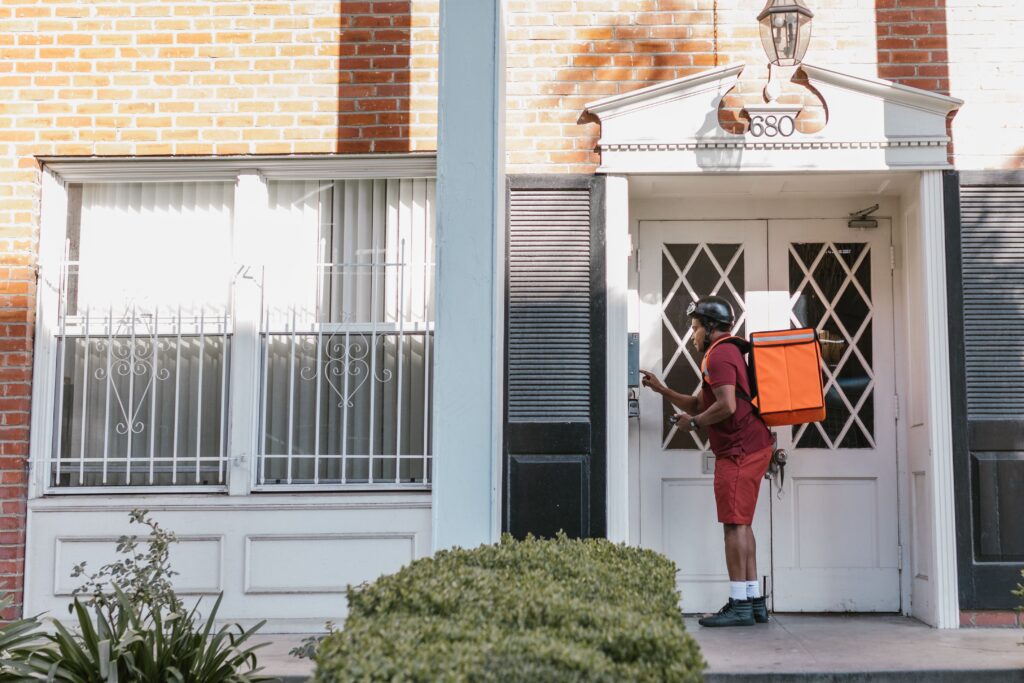
Smart doorbells: the best $50 you will spend
A video doorbell does three jobs at once. It lets you see who is at the door without opening it, it lets you talk to them without opening it, and it makes the house look less like an easy target. For an older adult living alone, that combination is worth more than it costs.
The practical value shows up in small moments. The delivery driver who leaves a package in the rain. The stranger who insists he is “from the utility company.” The granddaughter who rings twice and then calls because nobody answered. Being able to say “leave it by the door, thank you” from the couch is independence, not laziness.
TP-Link Tapo D130
Budget pick · about $50
Wirecutter’s budget wired pick, and the device this section’s headline is actually about. Records 2K, tells people from pets from packages, and needs no subscription at all — a microSD card handles local storage. It does not use your existing chime; it ships with a plug-in one, which for many houses is easier anyway.
~$50 one-time · $0 required monthly
TP-Link Tapo D225
Best if there’s no doorbell wiring
Wirecutter’s top battery-powered pick. Same 2K and the same free smart alerts, with a 180-degree head-to-toe view and roughly four months per charge. The trade-offs are bulk and a fisheye look, and you have to take the whole unit off the wall to charge it.
~$90–$100 · optional cloud $3.50/mo
Google Nest Doorbell (Wired, 3rd Gen)
Best overall · subscription needed
The most accurate alerts in testing — it never missed an event and never produced a false one. But without a plan it saves only 10-second clips that vanish in six hours, so the subscription is not really optional here.
Device + $10/mo ($100/yr) recommended
Two more worth knowing. The Ring Wired Doorbell (2nd Gen) is inexpensive 2K hardware and the obvious choice if the household already has a Ring Alarm, since a single-camera plan runs $5 a month and the Ring Pro plan covers every camera at the address. And a caution about the popular Eufy E340: it is a good camera that stores video locally with no fee, but Wirecutter’s unit had its internal battery die in under two weeks. For a household where nobody wants to climb a ladder and recharge a doorbell, that reliability question matters more than the spec sheet — ask about battery life before you buy any battery model.
So the price ladder is roughly $50 for a solid wired doorbell, $90 to $100 for a good battery one, and $180 plus a monthly plan for the best-in-test. None of those is $60, and it is worth saying plainly that the cheapest option is genuinely good enough for most front doors.
Set it up so it helps, not so it startles
- Turn motion alerts down. A doorbell that pings forty times a day for passing cars gets muted within a week — and then it is useless. Set the motion zone to the walkway only.
- Put the chime inside, in the room where the person actually sits. The phone notification is for the family. The indoor chime is for the person at home.
- Share access with one or two family members. Not five. Shared access is how an account gets locked out by accident.
- Never point a camera into a neighbor’s window. It is rude, and in some places it is illegal.
If the budget is tight
A plain door and window sensor — Aqara’s are inexpensive — will tell a family member when the front door opens and when it has been left open too long. No camera, no subscription, no footage of anyone’s comings and goings. For a household that wants peace of mind without surveillance, this is often the better first purchase.
05 · Medications
Medication reminders: from sticky notes to dispensers
Missed doses are quiet. Nobody calls to tell you it happened; you find out at the next doctor’s appointment, or in the emergency room. Which is why this is the category where a modest amount of technology buys the most health.
Three levels, three budgets
| Approach | What it does | Best for |
|---|---|---|
| Spoken reminders Free | An Echo or Nest speaker announces pill time out loud. A phone alarm does the same with a label. | One or two medications, no memory concerns, someone who is comfortable with voice commands. |
| Smart pill box No monthly fee | A weekly organizer with lights and beeps, sometimes a small app that logs when a compartment was opened. Filled by hand. | Several medications a day, dexterity still good, a family member who visits weekly to refill. |
| Automatic dispenser Subscription | Loads weeks of pills, releases the right dose at the right time, refuses to release the wrong one, and alerts a caregiver if a dose is skipped. | Complex regimens, early memory loss, or a caregiver who cannot be there daily. |
Costs are approximate and change with plan length; confirm current pricing before you commit to a year.
The two dispensers worth considering
Hero is the one Wirecutter recommends and the one most caregivers end up with. It holds up to 90 days of as many as 10 different medications, sounds an audible and visual alert at dose time, and dispenses with a single button press. If a dose is missed, it notifies the user and whoever else is on the account. It can also remind you about up to 10 additional medications kept outside the machine. Plans run $39.99 a month on a 12-month prepaid plan, $44.99 on a monthly payment plan with a 12-month commitment, or $59.99 with no commitment at all. There is no way to buy the device outright, so the subscription is the real cost — and note that it has risen from the $30 figure widely quoted in older reviews.
MedMinder is the long-established alternative, with 28 locked compartments, a stronger emphasis on tamper resistance, and pricing in the region of $125 a month for the standard unit — or about $50 a month for its simpler Jon model. It makes more sense for households where the concern is not just forgetting but double-dosing.
Both are worth asking about through insurance. Hero in particular markets Medicare eligibility pathways, and some Medicare Advantage plans and long-term-care policies cover part or all of a dispenser with a care-plan note from a physician. It is worth one phone call; the answer is sometimes yes.
The unglamorous truth
No dispenser solves the refill problem. Someone still has to load it, and if that person stops coming, the machine becomes a very expensive empty box. Before buying, answer honestly: who refills this, on what day, and what happens when they are on vacation? If there is no good answer, start with a smart pill box and a weekly family visit instead.
06 · On the wrist
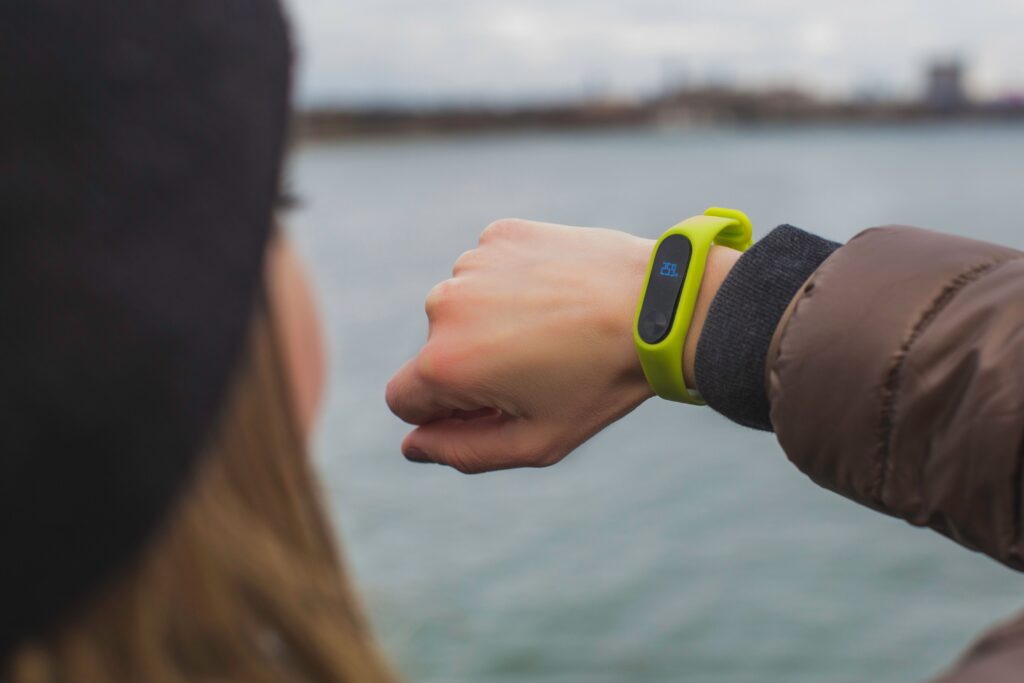
Watches, phones and the question of tracking
The Apple Watch has become the quiet winner of this category — not because Apple set out to build a senior product, but because fall detection, crash detection and a medical ID card happen to be exactly the features an older adult needs.
The Apple Watch SE 3 is the value pick. It includes fall detection and crash detection, can automatically call emergency services after a hard fall if you do not respond to its prompt, and holds a Medical ID that first responders can read from the lock screen — allergies, medications, conditions, emergency contacts. Press and hold the side button and it dials. The catch is the cellular question: the cellular model works independently, with its own number and plan, while the cheaper GPS model needs an iPhone within Bluetooth range or a known Wi-Fi network to make a call. For a person who leaves the house alone, pay for cellular.
Apple prices the SE 3 at $249 for the GPS model and $299 for GPS + Cellular. Add a cellular line to that — usually $5 to $15 a month depending on carrier — and the hardware is comparable to the Kanega while the ongoing cost is far lower. What you give up is the dedicated monitoring center and the always-on human answer.
If the household is not an iPhone household, that is a real obstacle — an Apple Watch needs an iPhone to be set up and to stay useful. The alternative in the dedicated medical-alert world is the UnaliWear Kanega: a watch that does not look like a medical device, works on Verizon’s network with Wi-Fi assist, responds to a button or a spoken wake word, includes fall detection and medication reminders, and ships with two swappable batteries so it is never off your wrist to charge. The price is the honest obstacle. UnaliWear charges $299 for the watch kit — watch, charger and four swappable batteries — then $84.95 a month, which comes to $383.95 due at checkout for the kit plus the first month. Pay annually and the service works out to about $65 a month, billed up front at $1,078.40 for the year; there is no contract either way, and you can cancel any time. It is expensive, and it is genuinely the best at what it does — the fall detection is built from real falls by real wearers rather than staged ones, which is why both Wirecutter and the National Council on Aging single it out.
Simple phones, done properly
Two products keep coming up in every conversation about phones for older adults, and they solve different problems.
GrandPad is a tablet built for people who do not want a computer. No passwords, no app store, no browser to get lost in, and — the part families care about most — no spam or scam calls can reach it, because only approved contacts can ring in. It handles video calls with grandchildren, photo sharing, music, and medication reminders. Plans run $25 a month for the Wi-Fi-only Basic tier, $45 for Premium with a data plan and voice calling, and $65 for Ultimate — and the $25 tier genuinely cannot make phone calls, which is the detail families miss when they buy on price alone.
A flip phone or a simplified smartphone from Lively or Jitterbug remains the right answer for someone who wants a phone to be a phone. Big buttons, loud speaker, a dedicated emergency button, and a family member who can manage the settings remotely.
On tracking: a hard line
GPS trackers have a legitimate use — a parent with dementia who wanders, where a location history is a safety net rather than a leash. That is a different situation from a healthy adult whose children want to know where she is. The test is simple and worth saying out loud: would the person be comfortable seeing the same data about you? If the answer is no, the device is not safety equipment. It is supervision, and it should be named as such before anyone buys it.
07 · The house itself
Lights, locks, smoke and water
The most useful smart-home upgrades for older adults are the boring ones. Nothing here is exciting. Everything here prevents a bad night.
Light where the feet go
Most falls happen on the way to the bathroom in the dark, which means the highest-return purchase in this entire guide might be a set of plug-in motion night lights for the hallway, the bathroom door and the stair landing. Add smart plugs so a lamp can be turned on by voice from bed — “Alexa, turn on the bedroom lamp” — and a smart bulb or switch on the porch light so the door is lit before anyone steps outside. If a family member wants a check-in signal, a lamp that turns on at 7 a.m. and off at 10 p.m., visible from the street or logged in an app, is a gentle daily “all is well.”
Smoke and carbon monoxide, with a phone attached
Nearly six in ten home fire deaths happen in homes with no working smoke alarm or none at all, according to the National Fire Protection Association — and reduced hearing makes a standard alarm easier to sleep through. The Kidde Smart Smoke + Carbon Monoxide Alarm is the Wirecutter pick: hardwired, detects both, alerts phones and designated contacts whether anyone is home or not, and lets you silence a burned-bacon alarm from the app. It also interconnects with existing hardwired Kidde detectors, so one purchase upgrades the whole house. The Ring-compatible version adds optional professional monitoring for a small monthly fee.
For anyone with significant hearing loss, look for alarms that pair a strobe or bed-shaker with the audible siren. That is not a luxury; it is the difference between waking up and not.
Water sensors: the cheapest disaster insurance
A $20 leak sensor under the kitchen sink, behind the washing machine and beside the water heater will catch the failure that would otherwise be discovered by a neighbor three days later. Most hub systems — Ring, Aqara, SmartThings — support them, and they send a phone alert the moment moisture appears. For a house with one occupant and an aging water heater, this is the highest-value-per-dollar item on the list.
Locks and keys
A smart lock with a keypad means no more hiding a key under a flowerpot, and it means a family member or aide can be given a code that expires. For a person who has started forgetting whether the door is locked, a lock that can be checked and locked from a phone removes a small, constant anxiety. Choose one that still works with a physical key, and one with a backup battery warning that is loud rather than polite.
Security, if you want it
A DIY system such as Ring Alarm is easy to install, accepts door and window sensors, cameras, smoke alarms and panic buttons, and runs everything through a single app. Wirecutter’s strong recommendation is to add professional monitoring, so that an alarm summons a live person who can call emergency services rather than a notification nobody sees. Ring restructured its plans in 2026: 24/7 professional monitoring now sits inside the Ring Pro plan rather than as a separate add-on, so confirm the current price before you commit. The standalone smoke and carbon monoxide monitoring add-on is $5 a month. The Alarm Pro version adds Wi-Fi improvement and battery backup, which matters in a power cut.
Start with a walk-through, not a shopping cart
Before buying a single device, walk the house at night with the lights off. Look for the dark stretch of hallway, the loose rug at the top of the stairs, the bathroom with no grab bar, the step between the kitchen and the garage. Fix the physical hazards first — grab bars, a shower chair, a handrail, better bulbs. Technology catches what the body cannot; it does not replace a $40 grab bar, and the grab bar is better.
08 · Connection and confidence
Staying connected — and staying un-scammed
Isolation is a health risk on the order of smoking, and fraud is a financial risk that arrives through the same screen that keeps people connected. Both are technology problems now, which means both have technology answers.
The connection side
- A video call made easy. Whether it is an Echo Show, a Nest Hub or a GrandPad, the goal is the same: no dialing, no links, no “can you see me now.” A device that answers when a family member calls is worth more than a device that requires twenty seconds of setup.
- Photo frames that update themselves. A digital frame on the kitchen counter, fed by an album the family adds to, is the lowest-effort way to make a house feel less empty.
- One shared calendar. If three siblings each call on Sunday, the fix is a shared calendar visible on the kitchen screen, not a reminder to call less.
- Music and audiobooks by voice. “Alexa, play Frank Sinatra” is, in practice, one of the most-used commands in any senior household — and the least discussed.
The fraud side
Most senior fraud arrives by phone or text, and it works because it is designed to create urgency: the grandchild in trouble, the account about to be closed, the refund that requires a gift card, the “Medicare” caller who needs a number confirmed. A few defenses actually work.
- Turn on call screening. Most carriers and phones now offer spam labeling and a “silence unknown callers” setting. The cost is that a new doctor’s office may go to voicemail; the benefit is that the phone stops ringing forty times a week.
- Agree on a family code word. Any caller claiming to be a relative in trouble must say it. This one sentence defuses most grandparent scams instantly.
- Make the rule: no one legitimate asks for gift cards. Not the IRS, not Medicare, not a grandchild, not Microsoft. Say it out loud, more than once, the way you would say “look both ways.”
- Put a freeze or a lock on the credit. Free at all three bureaus, and it removes an entire category of damage.
- Slow the money down. A second signature on large withdrawals, or a bank alert to a family member above a set amount, turns an emergency into a conversation.
A device like GrandPad takes this further by design: only approved contacts can reach it, which is why its owners tend to report never having received a scam call. For a household where the phone rings with strangers daily, that alone can justify the subscription.
09 · Senses
Hearing and seeing better — the upgrades people skip
If you fix only one thing this year and it isn’t the emergency plan, make it the hearing. Untreated hearing loss is exhausting, it isolates, and it is one of the most modifiable risk factors for cognitive decline. It is also, in 2026, dramatically cheaper to address than it was five years ago.
Over-the-counter hearing aids became legal in the United States in 2022, and the category has matured into something genuinely good. Wirecutter’s pick, the Jabra Enhance Select 300, is easy to set up through an app with a video orientation from an audio professional, offers fine control of volume and tone, and runs about 15 hours on a rechargeable battery. OTC aids suit mild to moderate hearing loss and a person who can give and take feedback about fit. For severe loss, or for anyone who needs a device that bypasses the inner ear, see an audiologist — no app replaces a proper evaluation.
A newer option worth knowing: recent AirPods Pro models can act as a clinical-grade hearing aid for mild to moderate loss, with a hearing test built into the phone. If the person already owns a pair, that feature may be sitting unused in a drawer, and turning it on costs nothing.
On the vision side, the wins are software, and they are free. Larger text and bold text in display settings. Increase contrast and reduce transparency. Magnifier, which turns the phone camera into a reading loupe for pill bottles and menus. VoiceOver and TalkBack for anyone losing central vision. And on a computer, a browser zoom set to 150% as the default, permanently, without apology.
A note on captions
Turn on live captions for video calls and television. They are not an admission of anything. They are the reason a person can follow a grandchild’s story instead of nodding along and hoping. Every major platform now does this well, and it takes ninety seconds to enable.
10 · The rollout

A four-week plan that doesn’t overwhelm anyone
The failure mode in this category is not buying the wrong device. It is buying six devices in one weekend, installing none of them properly, and abandoning the whole idea by Thursday. Go slower than feels necessary.
- Week one — the emergency line, and nothing else. Choose one system: a medical alert wearable, an Apple Watch with cellular, or Alexa Emergency Assist on an Echo you already own. Install it, test it with the monitoring center, write the emergency contacts on a card by the phone, and leave it alone for seven days so the habit forms.
- Week two — the house. Night lights, a grab bar, the leak sensor, and a smart smoke alarm. No new apps, no new accounts. Physically safer, quietly.
- Week three — the front door and the pills. Doorbell on the walkway zone, chime where the person sits. Then set up whatever medication system the household actually needs — starting with spoken reminders, which cost nothing.
- Week four — connection. Video calling, a photo frame, one shared calendar. This is the week that makes everything before it feel worth it, because this is the week the grandchildren show up on the screen.
Then stop. Live with it for a month before adding anything. Every device you add is a device someone has to charge, update, and troubleshoot — and the person doing that work is usually the one who least wanted the device in the first place.
For the adult child who lives far away
Do the setup yourself, in person, on a visit — not over the phone. Then write it down: a single sheet of paper in a kitchen drawer listing every device, the account email, the password hint, the monitoring company’s number, and the name of the neighbor with a key. That sheet is the difference between a system that works for years and one that dies with the person who configured it.
11 · Judgment
What to skip, and what to watch
Skip these
- Any “medical alert smartwatch” with no monitoring center. A watch that texts a family member is not a medical alert system. If nobody is paid to answer at 2 a.m., nobody is answering at 2 a.m.
- Subscription stacking. Three services at $10, $20 and $30 a month is $720 a year. Add them up before you commit, and cancel the ones that duplicate.
- Cameras in bedrooms and bathrooms. There is no version of this that ends well. Use a bed-exit sensor or a fall mat instead.
- Anything that requires the person to change how they think. If a device needs a new daily ritual to work, it will not work.
- Gadgets bought without the person’s involvement. The most expensive device in the house is the one in the closet.
Watch these
- Radar-based fall detection. Sensors that watch a room without a camera are getting genuinely good, and they resolve the privacy objection that kills most in-home monitoring plans.
- Ambient sensing. Systems that learn a household’s normal pattern — kettle on at seven, lights off at eleven — and flag the day the pattern breaks. Less intrusive than a camera and, for many families, more informative.
- AI assistants that book things. Voice assistants can now order a ride or make an appointment. When that works reliably, it removes one of the last real reasons an older adult needs a smartphone.
- Hearing aids that double as earbuds and trackers. The line between medical device and consumer gadget is dissolving, and prices are falling with it.
12 · Before you buy
The one-page checklist
- The person who will use it has seen it, held it, and said yes.
- The Wi-Fi reaches every room it needs to, tested with a video call.
- There is one way to call for help that works while lying on the floor.
- There is a second way, on a different network, or in a different room.
- Emergency contacts include a neighbor with a key.
- The address on the monitoring account is correct, including the apartment number.
- Someone has physically tested the alarm button and spoken to a human.
- Every device’s monthly fee, added together, fits the budget.
- There is a written sheet with accounts, passwords hints, and phone numbers.
- The batteries, chargers, and replacements have an owner and a schedule.
- Physical safety is handled first: grab bars, lighting, loose rugs, handrails.
- Everyone knows what the technology cannot do — and who to call instead.
This list will be out of date by spring
That is not a warning; it is just how fast this corner of technology moves. The devices that were best in 2024 have been replaced, the subscriptions have changed shape, and the features that matter most — fall detection, ambient sensing, hearing support — are the ones improving fastest. Prices fall, and yesterday’s premium feature shows up on a $60 device.
Which is why the most useful habit a family can build is a light one: a single email a week, in plain English, that tells you what actually changed and whether it is worth caring about. That is what Greg’s Friday Tech Roundup is for — one short read, curated, no hype, written for people who want technology to work for them rather than the other way around. If you found this guide useful, the newsletter is the version of it that keeps arriving.
Subscribe at gregdoig.com — free, weekly, and easy to leave if it is not for you.
End of guide.
About this guide. Written by Greg Doig for gregdoig.com. Product selections draw on published testing by AARP, the National Council on Aging, Wirecutter, Consumer Reports and PCMag, plus manufacturer specifications. No manufacturer paid for placement.
On prices. All costs are in US dollars, exclude taxes and installation, and were verified on 16 November 2026 against vendor pricing pages (Medical Guardian, Bay Alarm Medical, Hero, Ring, Amazon) and current independent testing from AARP and the National Council on Aging. Where a vendor page could not be loaded, the figure comes from that published testing and is marked approximate. Medical alert and subscription pricing changes frequently — verify before you sign a contract.
On safety. Nothing here replaces medical advice, a physical home-safety assessment, or the judgment of the person living in the home. If you are concerned about a specific fall risk or a change in memory, start with a physician or an occupational therapist, not a shopping cart.
Sources consulted: AARP medical alert system testing (2026); National Council on Aging fall-detection testing; Wirecutter, “18 Best Smart Home Devices to Help Aging in Place” (Oct 2026); Wirecutter medical alert and OTC hearing aid guides; CDC falls data; National Fire Protection Association smoke alarm statistics; Consumer Reports and PCMag video doorbell testing (2026); manufacturer pricing pages for Hero, MedMinder, UnaliWear, GrandPad and Amazon.